Free trial
To try everything before you pay.
- 5 videos in 7 days
- up to 5 min of clips per video
- 50 AI edits
- Full HD, no watermark
$0
No payment needed
Start for freeZipcat is the AI video editor for your iPhone. It keeps your best lines, cuts the ums and pauses, and adds captions, so the video is ready to post.
Pick your clips, say what you want, and post the finished video.
Choose two or three clips from Photos. Every take is heard in full.
One sentence, a trending format, or a video whose editing you like.
Pauses cut, captions and music added. Change anything, then post.
 Hot take
 Day in my life
 Storytime
 3 mistakes
 POV
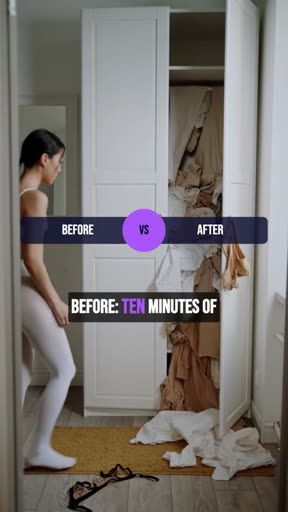 Before / after
 Myth vs fact
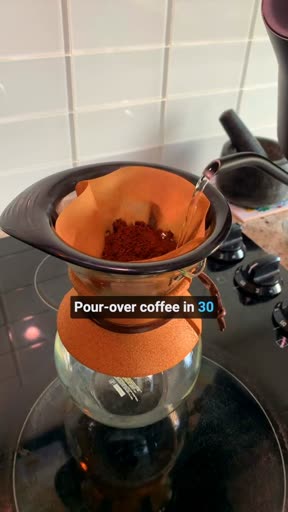 30-second tutorial
Transcript
So um I tried this for a week pause and honestly it uh changed my mornings.
Make the first three seconds faster and start on the strongest line.
Remove the long pauses and the ums between my lines.
Make the captions bigger and bolder.
Add calm music and keep it quiet while I talk.
Cut my clips with the same pace as the reference video.
Add a title at the start: 3 mistakes I made with my first camera.
Every take is heard in full. The ums, false starts and long pauses go; your lines stay.
Download for iPhoneExample · Day in my life
So um this is my morning pause before work, uh nothing fancy.
Cutumpauseuh
Film, edit and post from the same phone. No laptop, no timeline, no export queue.
Download for iPhoneWrite to us about plans, videos or your account. We reply within two business days.
Go to Support
Pricing
Start free, upgrade when you post more.
To try everything before you pay.
$0
No payment needed
Start for freeFor one person posting most days.
2 months free yearly
$14.99 /mo
or $149.99 a year, 2 months free
Get CreatorFor people and teams publishing every day.
2 months free yearly
$34.99 /mo
or $349.99 a year, 2 months free
Get StudioAn iPhone app that edits your videos for you. Pick two or three clips, say in one sentence what you want, and Zipcat picks the best takes, cuts the pauses and adds captions, music and titles. The result opens in a full editor, so you can change anything.
Film more takes than you need. Zipcat keeps the lines where you sound like yourself and drops the stumbles, so the video shows your best 30 seconds, not your worst.
Not unless you want it to. Start from a reference video you like, pick a caption style, or tell it what to change. Every cut, caption and title stays editable.
Say what to change in the AI tab, like “make the hook faster”, or fix it by hand in the editor. Changing a video and exporting it again never uses a new one.
A few minutes. About 80 seconds of clips takes around 3 minutes. Keep Zipcat open until your clips are uploaded; after that you can leave, and the video waits for you in Home.
When you create a video, tap “Match a reference video” and add one whose editing you like. Zipcat reads how it is cut, the pace, the captions, the music and the look, and edits your clips the same way. It copies the editing, never the other person’s video.
Clips are uploaded so Zipcat can listen to the speech and look at the takes. Your videos are yours: you can delete a project, or your whole account with everything in it, from inside the app.
Not yet. Zipcat is iPhone‑first: the final video renders on your phone, which keeps it fast and the price per video low. Questions? Our Support page says how to reach us, and a person answers.
Your first 5 videos are free · Made for iPhone
No payment needed